Table of Contents
Nothing ruins a perfect movie night like annoying glare bouncing off your TV screen. Whether it’s sunlight streaming through a window or harsh overhead lights, glare can wash out your picture, making it tough to catch every detail of your favorite shows and films. On HollyflixTV, we know your home theater experience matters — so here’s how you can keep reflections at bay and enjoy crystal-clear viewing, no matter the time of day.
Introduction: Why People Mix Up “Here” and “Hear”
English is full of words that sound the same but have different meanings and spellings—these are called homophones. A common example is “here” and “hear.” Because they’re pronounced identically, it’s easy to confuse them, even for native speakers.
- Here refers to a place or position (e.g., “Come here.”)
- Hear refers to listening or perceiving sound (e.g., “Can you hear me?”)
This confusion only happens in writing, since in speech they sound exactly alike. Getting these words right matters. Using the wrong one can cause misunderstandings and make your writing look careless. In professional or academic settings, it’s especially important to choose the correct word to keep your message clear and show attention to detail.
Understanding simple differences like “here” vs. “hear” is a quick way to improve your writing and communicate your ideas more effectively.
Why TV Glare Matters?
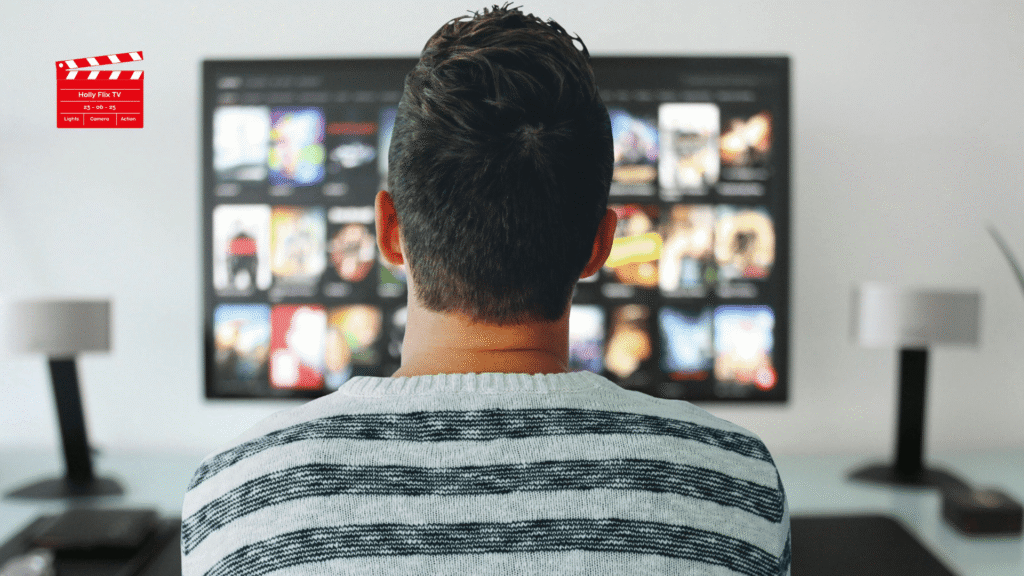
Nothing ruins movie night like distracting glare on your TV. Whether it’s daylight pouring through windows or harsh overhead lights, glare washes out colors and detail, hurting your viewing experience and even straining your eyes. On HollyFlixTV, we’re here to help you get a truly cinematic picture—so you can enjoy every show and game in comfort, day or night.
Smart TV Placement & Positioning
Proper TV placement not only improves picture quality but also helps reduce glare and protect your eyes. Here’s how to set it up right:
Avoid Facing Windows Directly
Placing your TV opposite a window often leads to glare and reflections, especially during the day. Try to position it on a wall that’s perpendicular to windows. A quick room sketch showing windows and potential TV spots can help you pick the best location with minimal sunlight.
Use Adjustable or Tilt/Swivel Mounts
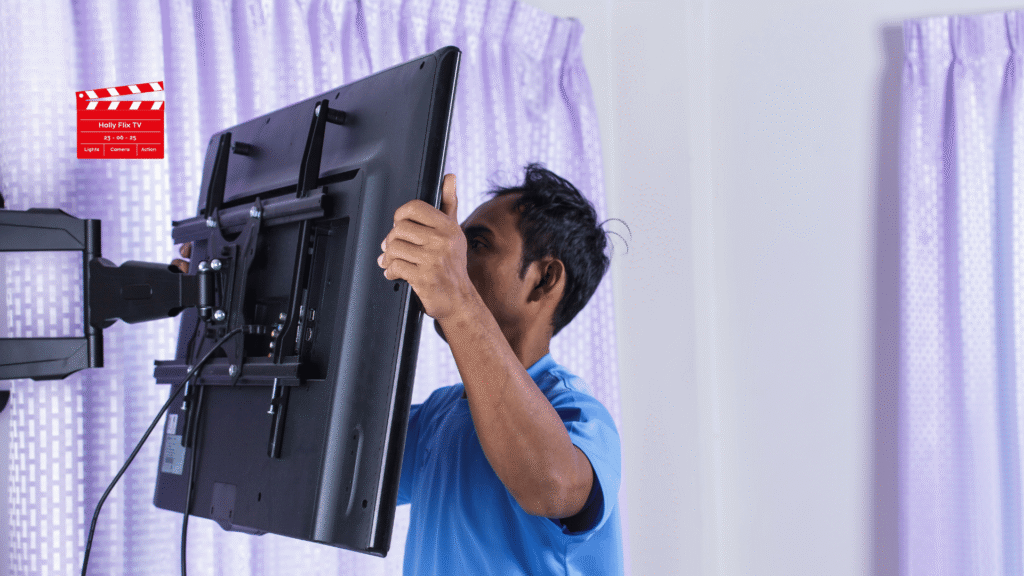
Even with careful placement, some glare from windows or ceiling lights is hard to avoid. A tilt mount lets you angle the TV slightly downward to cut reflections. Full-motion mounts offer even more flexibility, letting you adjust the screen for different seating or lighting throughout the day. If natural light is unavoidable, blackout curtains or blinds can make a big difference.
Optimize Room Lighting
Turn Off or Dim Overhead Lights
Bright ceiling lights can reflect off the screen and hurt picture quality. Try dimming or turning them off during viewing for a better, theater-like experience.
Add Soft Lighting Behind or Beside the TV (Bias Lighting)
Placing gentle light sources, like LED strips or a small lamp, behind or next to your TV reduces eye strain and softens the contrast between the screen and a dark room. This makes long viewing sessions more comfortable.
Use Smart Bulbs and Dimmers
Smart lighting lets you easily adjust brightness and color from your phone or with voice controls. This helps you create the perfect setup for movies, gaming, or everyday watching.
Together, smart TV placement and thoughtful lighting will greatly cut glare and make your viewing more enjoyable.
Control Natural Light with Window Treatments
Install Blackout Curtains or Drapes
Block out sunlight completely for the best daytime viewing. This stops direct or indirect light from washing out your screen and creates a true home theater feel.
Use Blinds or Adjustable Shades
Tilt the slats to control how much light enters and where it falls. This lets you redirect sunlight away from your TV without darkening the whole room.
Combine Curtains with Blinds
Layering blackout curtains over blinds gives you more flexibility. Adjust them to get just the right balance of natural light and glare reduction throughout the day.
Try Window Films
UV- and glare-reducing films allow light in while cutting harsh reflections. They help keep your room bright and welcoming without hurting picture quality.
Using a mix of these options makes it easy to watch TV any time of day with minimal glare.
Screen & Picture Adjustments
Adjust TV Brightness and Contrast
A slight boost in brightness and contrast can help your screen stay clear even with some glare. Be careful not to raise it too much, as this can strain your eyes or wash out colors. Find a level that improves visibility while keeping natural picture quality.
Use Anti-Glare or Light Sensor Modes
Many modern TVs have settings or sensors that adjust brightness and contrast automatically based on room light. These features keep your picture clear throughout the day and reduce eye strain without you needing to change settings manually.
Pairing these adjustments with smart placement and good window treatments will give you a much more comfortable viewing experience.
Keep Your Screen Clean
Dust, fingerprints, and smudges scatter light across your screen, which can worsen glare and dull the image. Use a soft microfiber cloth to gently wipe away dust and prints without scratching. For tougher spots, stick to screen-safe cleaning solutions—avoid harsh household cleaners that can damage the screen’s coating. Keeping your screen clean helps maintain a sharp, glare-free picture and makes all your other adjustments even more effective.
Invest in Anti-Glare Technology
Anti-Glare TV Screens
Many newer QLED and OLED models come with advanced anti-reflective or matte coatings that cut down on glare from windows and lamps. This is especially helpful in bright rooms. While these coatings can slightly soften deep blacks, most people find the trade-off worth it for the clearer, glare-free viewing.
External Screen Protectors
If your current TV doesn’t have built-in anti-glare features, you can add a peel-on or clip-on anti-glare screen protector. These affordable accessories diffuse reflections and are available for a wide range of screen sizes, offering an easy upgrade without buying a new TV.
Furniture and Decor Adjustments
Move Reflective Surfaces
Glass tables, shiny decor, or polished floors can bounce light onto your screen. Try rearranging or replacing these with matte-finish options to cut unwanted reflections.
Use Dark Matte Walls Behind the TV
Light-colored or glossy walls can reflect light back onto your screen, lowering contrast and adding glare. Painting the wall behind your TV a darker, matte shade helps absorb light and gives your space a cozy, theater-like feel. Adding a dark TV stand or shelving around the screen can also help focus attention and reduce stray reflections.
These simple changes, combined with proper lighting and placement, can dramatically improve your TV viewing experience. Let me know if you’d like even more ideas for creating the perfect setup.
Advanced Ideas for Tough Glare Problems
Rearrange Your Room Layout
Sometimes the best fix is to move your TV and seating to a wall that gets less direct sunlight or is farther from windows. This change alone can dramatically cut down glare if other solutions haven’t worked.
Install Recessed Lighting or Wall Washers
Swap overhead fixtures for recessed lights or wall washers that spread light across walls instead of shining directly down. This creates a softer, more even glow and helps avoid bright spots reflecting off your TV.
Quick Summary: Anti-Glare Checklist
| Solution | Cost | Best For |
| Adjusting placement | Free | Any room setup |
| Tilt / wall mounts | $$ | Rooms with overhead lighting |
| Curtains & blinds | $$ | Daytime glare from windows |
| Window films | $$ | Partial light control |
| Bias lighting | $ | Eye comfort, minor glare |
| Anti-glare TV / films | $$$ | Bright rooms, persistent glare |
| Cleaning the screen | Free/Low | Always helpful |
Use this table as a quick guide to pick the best, most budget-friendly fix for your situation. Combining a few methods often works best.
Additional Sections You Can Slot In
Use Warmer or Polarized Lighting
Bright, cool-toned bulbs (5000K or higher) can create sharper reflections on your screen. Swap them for “soft white” (2700–3000K) bulbs, which produce gentler, warmer light that’s less likely to glare.
Also consider polarized or shaded lamps that direct light downward or sideways instead of across your room, reducing the chance it bounces off the screen.
Watch Out for Reflective Ceilings & Floors
It’s easy to overlook how light bounces off glossy surfaces. Shiny floors (like tile or polished wood) and high-sheen painted ceilings can reflect light right back onto your TV. Adding an area rug, using matte ceiling paint, or rearranging to keep light from hitting these surfaces can cut indirect glare significantly.
Fine-Tune TV Settings Beyond Brightness
Modern TVs often include smart features that adjust for glare automatically:
- Ambient light or eco sensors: adapt brightness to the room.
- Local dimming (on LED or OLED): helps keep contrast punchy in bright spaces.
- Anti-reflection or dynamic contrast modes: tweak image to stay clear in tough lighting.
Explore your TV’s picture settings menu—you might find options designed specifically to reduce glare.
Eye Comfort Tips
Even with glare under control, staring at a bright screen for long stretches can tire your eyes.
- Try enabling your TV’s blue light reduction or “eye comfort” mode, especially for evening watching.
- Remember to follow the 20-20-20 rule: every 20 minutes, look at something 20 feet away for at least 20 seconds.
Conclusion
By thoughtfully placing your TV, managing your lighting, and making a few screen adjustments, you can reduce glare dramatically and enjoy a much clearer, more comfortable picture. Start with simple, low-cost tweaks and only move to bigger upgrades if glare is still an issue.
If you have your own glare-busting setup, feel free to share it—we’d love to hear what’s worked for you.
FAQs About Reducing TV Glare
Can I completely get rid of glare?
Not entirely, especially in rooms with lots of windows or shiny surfaces. But with smart placement, lighting control, window treatments, and screen tweaks, you can reduce glare so it’s hardly noticeable.
Is an anti-glare TV worth it?
If your room is very bright or you struggle with reflections, investing in a TV with anti-glare tech or adding a quality screen protector can make a big difference. For moderate light, simpler fixes like curtains or bias lighting often do the trick.
Will cranking up the brightness damage my TV?
Occasional boosts are fine, but running your TV at max brightness all the time can shorten its life and cause issues like faded colors. Only turn it up as much as needed.
Are there DIY ways to cut glare?
Yes! You can rearrange furniture, add blackout curtains or blinds, use bias lighting, apply removable anti-glare films, or simply keep your screen clean—all effective, low-cost options.

Aditya Kumar B. is your go to lifestyle curator sharing daily entertainment rich tips and tricks for streamlined, joyful living. Avidly exploring the worlds of streaming and leisure, Adi blends chill vibes with thoughtful recommendations, helping audiences stay on top of trending shows, streaming hacks, and laid back self care routines. Whether you’re searching for your next binge worthy series, the perfect TV setup, or clever ways to unwind, Aditya has your back making every moment feel relaxed and effortlessly enjoyable.