Table of Contents
When it comes to setting up your dream home theater or living room, getting the TV mounting height just right makes all the difference. Mount it too high, and you’ll end up with a sore neck; too low, and it might not deliver that immersive viewing experience you’re hoping for. At HollyFlixTV, we believe your screen should feel like a natural window into your favorite movies and shows. That’s why we’ve put together this complete guide to help you determine the optimal TV mounting height—so you can enjoy every binge session in perfect comfort.
Introduction
Getting your TV mounting height right is crucial for both comfort and style. A TV that’s mounted too high or too low can cause neck and eye strain, and often looks awkward in the room. The right height not only makes watching more enjoyable but also ensures your space looks balanced and thoughtfully arranged.
How High Should You Mount Your TV?
Eye Level and Viewing Comfort?
The general guideline is simple: position your TV so that the center of the screen is at eye level when you’re seated in your main viewing spot. For most setups, this means the center of the TV is roughly 40 to 42 inches from the floor, though this can vary slightly depending on your eye level and furniture height.
As a rule of thumb, the center of the screen should sit within about 0 to 15 degrees above or below your direct line of sight. This helps keep your head in a natural, relaxed position, reducing the risk of neck strain over long viewing sessions.
Average Mounting Heights for Common TV Sizes
Here’s a quick reference for typical center heights (measured from the floor to the center of the screen), which works well in most living rooms:
| TV Size | Center Height (Low) | Center Height (Average) | Center Height (High) |
| 42″ | 38″ | 40″ | 42″ |
| 50″ | 38″ | 40″ | 42″ |
| 55″ | 38″ | 40″ | 42″ |
| 65″ | 38″ | 40″ | 42″ |
| 75″ | 38″ | 40″ | 42″ |
Some prefer mounting larger TVs slightly higher, especially if the seating is farther back or to allow for more clearance above furniture. In that case, you might see center heights around 55 inches for a 42″, 60–61 inches for a 55″, and up to 67 inches for a 75″. It really comes down to your room’s layout and what feels most natural from your main seating spot.
Example Calculation
Let’s break down a typical example. Say your sofa seat height is 18 inches, making your seated eye level about 40 inches from the floor. If you have a 55-inch TV (which is roughly 27 inches tall), half the TV height is about 13.5 inches.
This means you’d place the bottom of the TV at around 26.5 inches from the floor (calculated by taking your eye level of 40 inches minus half the TV height). The center of the screen will end up right at your eye level of 40 inches, creating an ideal, comfortable viewing experience.
Summary
Aim to mount your TV so the center is at or near your seated eye level — typically around 40 to 42 inches from the floor. Keep your viewing angle within about 15 degrees of looking straight ahead to avoid strain. Adjust for your specific seating, TV size, and how your room is set up.
If you’d like, I can help you work out the perfect height for your exact measurements — just share your room and seating details!
TV Mounting Height Over Furniture
Above a Console or Media Unit
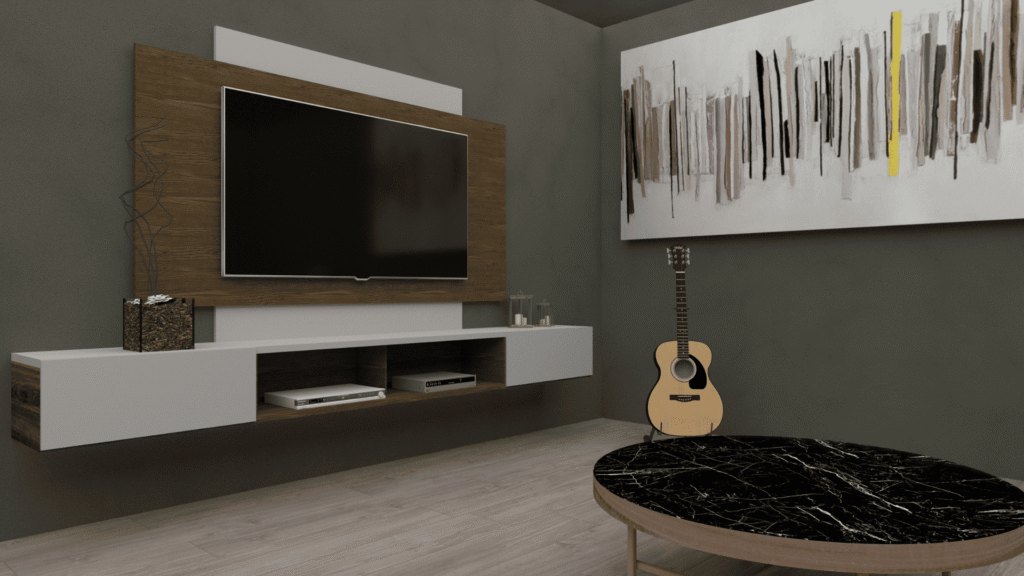
When mounting your TV over a console, leave about 6 to 12 inches of space between the top of the console and the bottom of the TV. This keeps the setup looking balanced and ensures the console doesn’t block the screen. Also check that any items on the console—like speakers or décor—stay below your line of sight. For the best results, sit in your usual spot and confirm that your view to the center of the screen is clear and comfortable before installing.
Above a Fireplace
Mounting a TV over a fireplace is tricky because it often puts the screen too high for comfortable viewing and may expose it to heat. If your fireplace mantle is low and the wall doesn’t get hot, it can work—just be sure to use a tilting mount to angle the TV downward. Before drilling, create a mockup using tape or cardboard to see how it will look and feel. Always test the wall temperature after using the fireplace; if it’s warm to the touch, it may be too hot for your TV.
Room-Specific Mounting Guidelines
Living Room
Position the TV so it’s at eye level from your main seating area, while still visible from other spots like armchairs. Make sure the placement works with your furniture layout and décor. In larger or open spaces, a swivel or articulating mount can help adjust the viewing angle.
Bedroom
Here, it’s usually better to mount the TV a bit higher, so it’s comfortable to watch while lying in bed. A tilting mount lets you angle the screen downward, reducing neck strain.
Home Theater or Entertainment Rooms
Focus on getting the center of the screen at eye level from your main seats for a true cinema feel. Reduce glare from windows or lights, and think about using wall-mounted speakers or blackout curtains for the best experience.
Why Console Size Matters?
Picking the right console size isn’t just about looks—it also affects balance and stability. A console that’s slightly wider than your TV helps anchor the setup visually and provides space for devices and décor.
How to Choose the Right Console?
- Measure your TV’s width: Don’t go by the diagonal size—measure edge to edge.
- Choose a console 6–12 inches wider than the TV: This means it extends about 3–6 inches beyond the TV on each side, creating a balanced look.
- Consider console height: It influences how high you mount the TV. Aim for the TV center to be at eye level when seated.
- Check depth and storage: Make sure it’s deep enough for your devices and offers shelves or cabinets for tidy organization.
Style Tips
Match the console’s style to your room’s overall look, whether modern, rustic, or minimalist. Neutral colors blend easily, while bold colors can turn the console into a focal point. Decide between open shelving for easy access to electronics or closed cabinets to keep things neat.
Choosing the right console and mounting height doesn’t just improve your viewing comfort—it ties together the entire room, making your entertainment area look polished and inviting.
Technical Insights and Mounting Process
Calculating the Perfect Height
Start by measuring your seated eye level, which for most adults is around 40 to 42 inches from the floor. Ideally, the center of your TV screen should line up with this point to minimize neck strain and create a comfortable viewing angle. Some experts suggest using about one-third of the distance from the floor to your eye level if you prefer a slightly different height, but keeping the TV center at seated eye level remains the simplest and most widely recommended guideline.
To figure out where to place your TV, measure from the floor to your seated eye level, then divide your TV’s height in half. Subtract that half from your eye-level measurement to see how high the bottom edge of your TV should be. For example, if your eye level is 40 inches and your TV is 28 inches tall, half of your TV is 14 inches. So the bottom of the TV would start at roughly 26 inches from the floor (40 minus 14). This positions the center of the screen right at eye level.
You’ll also want to consider viewing distance. As a general rule, the best distance is about 1.5 to 2.5 times your TV’s diagonal size. Make sure your setup doesn’t force you to tilt your head more than about 15 degrees up or down, which helps prevent long-term neck strain.
Tools & Equipment You’ll Need
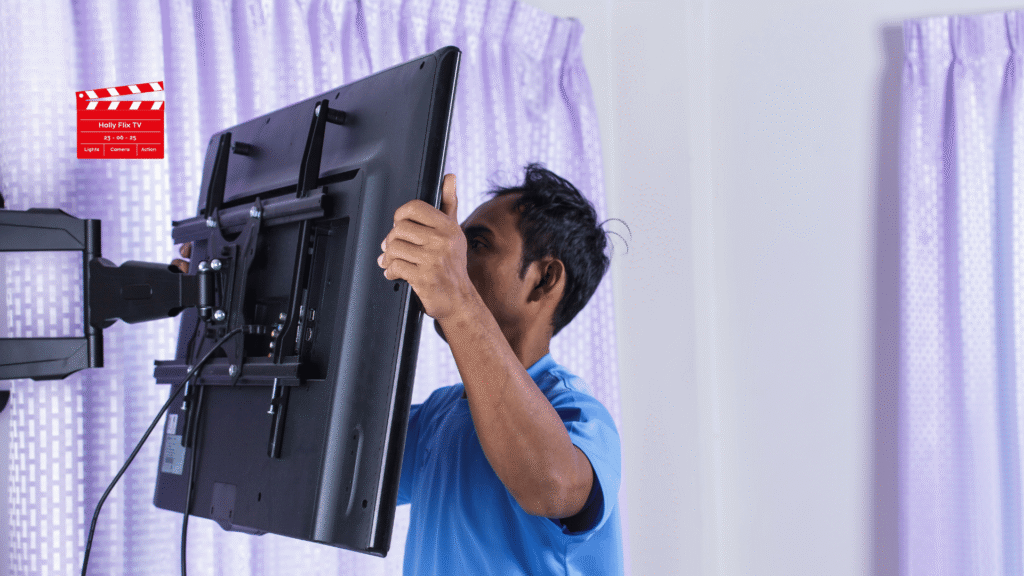
For a safe, precise installation, gather these essentials ahead of time: a level to keep the TV straight, a stud finder to locate wall studs (for secure anchoring), a measuring tape for accurate height placement, and the right type of wall mount—whether fixed, tilting, or full-motion. You’ll also need a drill and appropriate screws or anchors designed for your specific wall type.
Wall Types and Mounting Challenges
Different walls need different approaches. For drywall, always mount directly into studs—never rely on plastic anchors alone for heavy TVs. Use a stud finder to mark solid points. If you’re mounting on brick or stone, you’ll need masonry anchors and a hammer drill. Plaster walls can be trickier; while they’re similar to drywall, older plaster may be more brittle, so drill carefully and still aim for studs behind the plaster.
Types of TV Mounts
Your choice of wall mount matters for comfort and flexibility. A fixed mount is best for straightforward, eye-level installations and gives a sleek, close-to-wall look. A tilting mount lets you angle the TV downward, which is helpful if you’re mounting above a fireplace or higher on a wall. For the most flexibility, a full-motion or articulating mount extends, swivels, and tilts, making it ideal for corner installations or rooms with multiple seating areas.
Quick Tip:
Before you drill any holes, mark out your planned TV position on the wall with painter’s tape. This gives you a clear visual of how the TV will look in the space and helps you adjust for both aesthetics and comfort before committing to the final installation.
Enhancing Aesthetics & Cable Management
Hiding Cables & Power
For a neat, uncluttered look, use cord covers that can be painted to match your wall, or install in-wall cable kits to hide power and AV cables. This not only improves the appearance but also keeps cords safely out of the way.
Blending with Décor
Make your TV area feel like part of the room by creating a gallery wall or adding shelving and artwork around it. Mount soundbars or speakers close to the TV or incorporate them into shelves to keep the setup cohesive. These touches help the TV blend seamlessly with your décor instead of standing out awkwardly.
Additional Tips for the Perfect TV Setup
Check VESA Compatibility
Before buying a wall mount, make sure it matches your TV’s VESA pattern—the standardized distance between the mounting holes on the back of your TV (for example, 200×200 or 400×400 mm). This ensures your mount and TV fit together securely.
Optimal Viewing Distances
Along with height, your seating distance from the TV matters for the best experience. A general rule is to sit about 1.5 to 2.5 times your TV’s diagonal size. Here’s a quick guide:
| TV Size | Recommended Viewing Distance |
|---|---|
| 42″ | 5.5 – 8 feet |
| 55″ | 7 – 11 feet |
| 65″ | 8 – 13 feet |
| 75″ | 9.5 – 15 feet |
This helps maintain immersive visuals without seeing pixel structure or needing to shift your eyes excessively.
Minimize Glare and Optimize Lighting
Position your TV away from direct sunlight or bright lamps to avoid distracting reflections. If you can’t rearrange the room, use blackout curtains, blinds, or an anti-glare TV film. Also consider bias lighting (like LED strips behind the TV) to reduce eye strain in dark rooms.
Understand Wall Construction and Stud Placement
Most residential walls have wooden studs spaced 16 inches apart (center to center). Always use a stud finder to locate them and secure heavy mounts directly into studs.
If your home uses metal studs or has unusual spacing, you’ll need specialized mounting hardware. Avoid relying solely on drywall anchors—they aren’t designed to hold the weight of a TV.
Plan for Soundbars and Other Accessories
If you’re adding a soundbar, leave at least 4–6 inches of space below the TV. This prevents the soundbar from blocking the screen or cluttering the look.
Consider TV Sensors and Eye Comfort Modes
Many newer TVs include ambient light sensors that auto-adjust brightness or blue light filters to reduce eye strain. Explore these settings to create a more comfortable viewing experience, especially in rooms with changing light throughout the day.
Be Mindful of Heat Over Fireplaces
If mounting over a fireplace, make sure the wall doesn’t exceed 100°F (38°C) after the fireplace has been running. Anything warmer risks shortening your TV’s lifespan or voiding its warranty. Always test this before installing.
Think About Warranty and Insurance
Improper mounting (like failing to anchor into studs) can void your TV warranty and might cause issues with homeowners or renters insurance if the TV falls and causes damage. Always follow the manufacturer’s guidelines for installation.
Common Mistakes to Avoid
- Mounting too high or too low, which can strain your neck and reduce viewing comfort.
- Forgetting to account for the height of your console or media unit, throwing off the ideal placement.
- Failing to secure the mount into studs, which risks damage or instability.
- Ignoring glare from windows or lights, leading to distracting reflections.
- Not leaving space for a larger TV in the future, which might mean redoing your setup later.
Conclusion & Key Takeaways
Finding the perfect TV mounting height doesn’t have to be complicated. By considering factors like eye level, screen size, and room layout, you can create a setup that not only looks stunning but also keeps you comfortable through every movie marathon. At HollyFlixTV, we’re here to make sure your entertainment space is as enjoyable as possible. Happy watching!
Frequently Asked Questions
At what height should a 55 inch TV be mounted?
Typically, center it 40 to 42 inches from the floor when viewed from a seated position.
How does TV size affect mounting height?
Larger TVs are taller, so keep the center at your seated eye level, even if it means the bottom edge sits lower than with a smaller screen.
Should mounting height change for bedrooms vs. living rooms?
Yes. In bedrooms, mount the TV slightly higher for comfortable viewing from bed. In living rooms, keep it at standard seated eye level.
Is it okay to mount a TV above a fireplace?
It can work, but it’s often too high for comfort and may expose the TV to heat. If you do, use a tilting mount and make sure the wall stays cool.
What type of mount should I use?
Use a fixed mount for eye-level viewing, a tilting mount for higher placements, and a full-motion mount for flexibility or corner setups.
How can I make sure my TV is secure?
Always mount into wall studs or use proper anchors for masonry. Follow the mount manufacturer’s weight and installation guidelines.
How much space should there be between a TV and console?
Leave about 6 to 12 inches between the top of the console and the bottom of the TV for balanced spacing and clear sightlines.

They are a passionate group of entertainment writers, pop culture enthusiasts, and streaming industry analysts dedicated to bringing readers the latest updates from the world of movies, TV shows, anime, web series, and digital entertainment. From honest reviews and streaming guides to celebrity news, fan theories, and trending entertainment insights, the team delivers engaging, timely, and reader-focused content designed for modern binge-watchers and entertainment fans worldwide. Team HollyFlixTV helps audiences discover what’s worth watching across platforms like Netflix, Disney+, Prime Video, Hulu, and beyond.